And now for something different: with all the hype about Quantum computing, I felt like having a sharp look in Q# to find out, where we are at the moment. Quantum computing isn’t just about speed, its also a paradigm shift. Unlike classical bits (0 or 1), qubits can exist in a superposition of both. This enables parallelism at a fundamental level compared to our well-known digital computer architectures. Just image neuromorphic architectures on Quantum computers: AI would really fly high 🤯!
To write quantum programs, we need a language designed for quantum logic. And that’s what Microsoft offered us with Q#, a domain-specific language for quantum software development. Let’s have a look, which elements Q# brought for us to use:
- Quantum-first types: Qubit, Result, arrays, tuples
- Operations and functions: custom gates, measurements, control flow
- Development and simulation tools for debugging, testing, and to estimate quantum error rates.
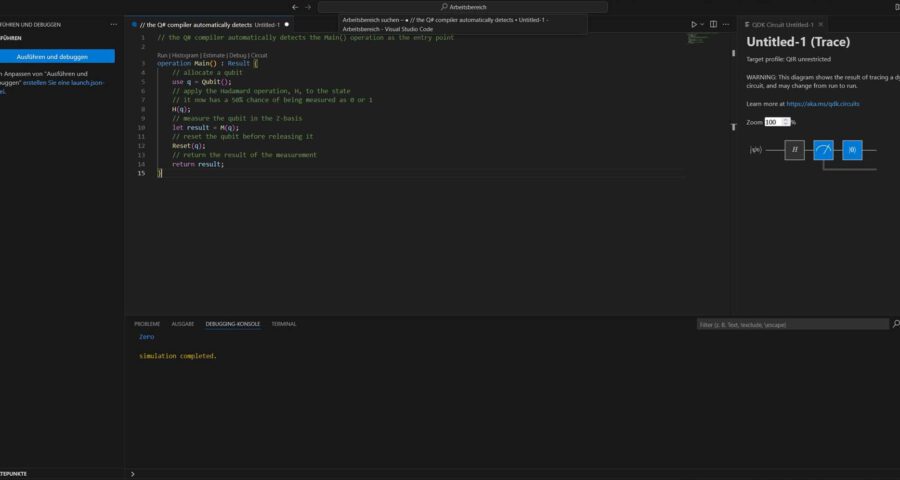
Let’s have a look at a simple example:
// the Q# compiler automatically detects the Main() operation as the entry point
operation Main() : Result {
    // allocate a qubit
    use q = Qubit();
    // apply the Hadamard operation, H, to the state
    // it now has a 50% chance of being measured as 0 or 1
    H(q);
    // measure the qubit in the Z-basis
    let result = M(q);
    // reset the qubit before releasing it
    Reset(q);
    // return the result of the measurement
    return result;
}
This snippet applies a Hadamard gate (H, see https://en.wikipedia.org/wiki/Quantum_logic_gate) to prepare a qubit in superposition, then measures (M), collapsing it into 0 or 1 with equal probability. Finally, we reset the qubit to clean up.
Q# allows developers to express quantum logic clearly and intuitively, handle low-level quantum hardware concerns automatically, and to test and debug algorithms using classical simulators.
How to test and debug the above example will be shown in my next blog entry on how to set-up your Visual Studio Code instance to use Microsofts Quantum Development Kit (QDK). Or if you can’t wait, just use https://vscode.dev/quantum. Have fun and happy coding 🚀!